Sunday, 29 December 2013

Get Epic Launcher Themes With Themer

Most Android users have installed, and uninstalled, dozens of launchers in an attempt to improve or personalize their devices. A lot of these users find that a cool launcher skin can cover up an outdated OS interface, but can slow down the device. This is a shame as Android lends itself so well to customisation and launcher modifications — as evidenced by our epic coverage of the different available options in our Customization Month.
With KitKat installations climbing every hour, a lot of space and processing power on Android devices will be freed up for a better, more robust launcher that truly ticks all the boxes. MyColorScreen’s Themer is trying to be that launcher.
The company has just announced the launch of the app’s public beta onto the Play Store. Before this, it had been in private beta and required an invite code and direct download from their website. Users running Android 4.1 and up should find their devices supported. Let’s take a look at the launcher and the amount of customisation it permits.

First Impressions

Initially, I couldn’t understand what all the great reviews on the Google Play store were about. My first interactions with Themer were slow and arduous. However, the problem seemed to have been my 3G connection. In order to fully load-up all the available themes, a WiFi connection is required. Otherwise, you’ll be waiting for ages.
A popular theme on Themer
To the get the ball rolling, I decided to choose the “City” theme. Themes are downloaded when you click Apply; after this there’s no futher interaction required and the new homescreen will launch within twenty seconds or so. The ‘City’ theme’s simplistic design, great use of the city photograph and the widgets impressed me. Little did I know, Themer was only revealing a small portion of what it had in store.

My Top 5 Themer Themes

Unlike rival launchers, Themer has hundreds of themes available – all of which are totally free and can be downloaded in just a few seconds. I spent a couple of hours trying out as many as I could. Here are the ones I liked best.

Breaking Bad

An awesome theme inspired by Walter White and Jessie Pinkman
As a huge fan of the show, this one drew me in instantly. The use of the periodic table to house core apps (which can be customised to launch any application) really impressed me. Like a lot of Themer skins, this one doesn’t launch with the centre panel being the main one. Instead, the panel furthest to the left is displayed by default (as it contains the most important shortcuts).

Tiled

Large tiles, slightly reminiscent of Windows 8
Perhaps a little reminiscent of a Windows 8 setup, this theme has a great fusion of minimalist design with a lot of practicality. It’s a three-panel design featuring large application buttons for email, phone, messaging and weather. These can be switched out or their destination changed. For example, I liked the look of the messaging icon but decided to reroute it to open Whatsapp as opposed to SMS, as that’s my primary messaging app these days. The third screen has numerous small application shortcuts for appaholics along with a large “My Apps” button which will open the Android app drawer.

Horizon

A colourful setup with stylish fonts
A beautifully designed theme if there ever was one, Horizon displays only the most crucial information in a visually appealing way. The left panel is dominated by weather widgets and a cool text font describing the conditions in your city.
In the main screen, battery condition is displayed as a pie chart just below the clock, which is encased in a small, shadowed circle along with the date. Basic app shortcuts are present along the bottom of the screen for easy access to your browser, camera and other apps.
The right panel contains more shortcuts in grid format but also has an RSS newsfeed which dominates the lower half of the screen. The design, look and feel of this theme is very “Miami Vice”.

Beach

One of the many themes with just two panels
This theme is one of the many that only has two panels. The left (main) one is packed full of app shortcuts and information but doesn’t appear too crowded. The standard wallpaper of a tropical idyllic beach compliments all the cacophony going on in terms of text and shortcuts.
Music lovers will happily find a dedicated music player widget in the right panel, beneath which is a news stream which can be loaded with your own personal RSS feed preferences.

Glance

A bold, three-panel layout with big fonts
This theme is undoubtedly my favourite and it’s the one I’m sticking with on my personal device for the foreseeable future. The centre panel is split diagonally in half revealing the appealing triangular design of the wallpaper and the crucial information we check our phone for all the time such as emails, texts, missed calls, battery level, weather and time.
The left panel is dominated by application shortcuts in grid format while the right panel is home to a cool music player. This theme’s bold text, great design and practicality make my phone feel brand new.

Phone’s Performance With Themer

I’ve been using Themer for a couple of days now and I haven’t noticed any performance issues with my phone at all. It’s just as quick to unlock, launch apps and respond to the touch of my finger. I have even been playing a few games with Themer running as my default launcher and have had no issues.
However, there are some people on the Play Store reporting issues such as lag when swiping between homescreen panels or the launcher just crashing and reverting to the default launcher. I guess in many instances, it’s important to remember that the app is still in beta and isn’t supported by all phones.

Final Thoughts

Themer is head and shoulders above any other launcher on the Play Store for several reasons:
  • It’s very easy to use with no ridiculous settings to trawl through
  • Customising a theme doesn’t ruin its look
  • Themes are being sourced from approved designers, of which there are a growing number, meaning hundreds more themes are on the way to compliment the several dozens already available
  • Virtually no performance issues or bloating (on supported devices)
  • Supports swipe gestures, including multi-finger gestures
On top of all this, Themer is totally free and makes it really easy to switch back to your previous homescreen. It’s extremely rare that a launcher of this quality, with a dedicated developer behind it, comes along. If you’re running 4.1 and over, you should really check it out; it’s totally worth it.

Posted By Unknown12:20

Play PSP Games on Your Android


PSP emulatorI love playing PSP games on the go but the thought of carrying two gadgets in my pockets (Smartphone and PSP) always come in my way. As an Android fanboy I thought that there might be a way (an app to be precise) using which I could play PSP games on my droid…. and indeed there were quite a few. However, most of these apps that were available were either paid or unstable.
PPSSSPP, on the other hand, is a free and open source emulator for PSP (Play Station Portable) for Android devices which worked out good enough in my initial tests . So let’s see how we can install and play PSP games on our droids using the above app.
Note: PPSSPP emulator is available for Windows, BlackBerry and Linux as well.

PPSSPP for Android

PPSSPP is free to use and can be installed . One you have the application, the app will ask you to load a game CSO or ISO file. The app does not include any game files and you will have to copy the ISO files of the games you want to play manually.
If you have a PSP UMD Disc, you can easily convert it to an ISO file and later to a CSO file. Follow the link to see how it’s done

After you have transferred the ISO or CSO file to your SD card, tap on the Load option in the app and select the file form the SD card. Wait for the app to read the file and play it. If you are in luck and the game is compatible with the emulator, it will run it. As the project is still in its early development stage there might be a few games and devices that are not compatible with the app. However, more apps and devices are being added according to the developer.

PPSSPP android emulator (1)

The app displays all the buttons on the screen itself and thus you might have a problem while playing some games. If you have a bigger thumb and are not comfortable with the four way navigation keys, you can change it to a joystick directional pad.

PPSSPP android emulator (2)

My Verdict

I loved playing games on PPSSPP for Android but when compared to a PSP, it was quite uncomfortable. Sometimes, the scenes overlapped the button and it was pretty tough to control the characters. The L and R buttons are also out of reach and the fear of dropping the phone always haunted me. Still it’s great for playing some low specs PSP games.

Posted By Unknown10:37

Saturday, 28 December 2013

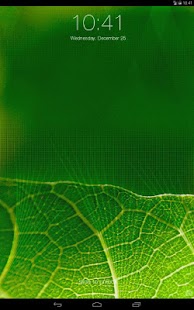
iOS7 LOCK SCREEN PORT


iOS 7 Lockscreen Parallax HD - screenshot thumbnail
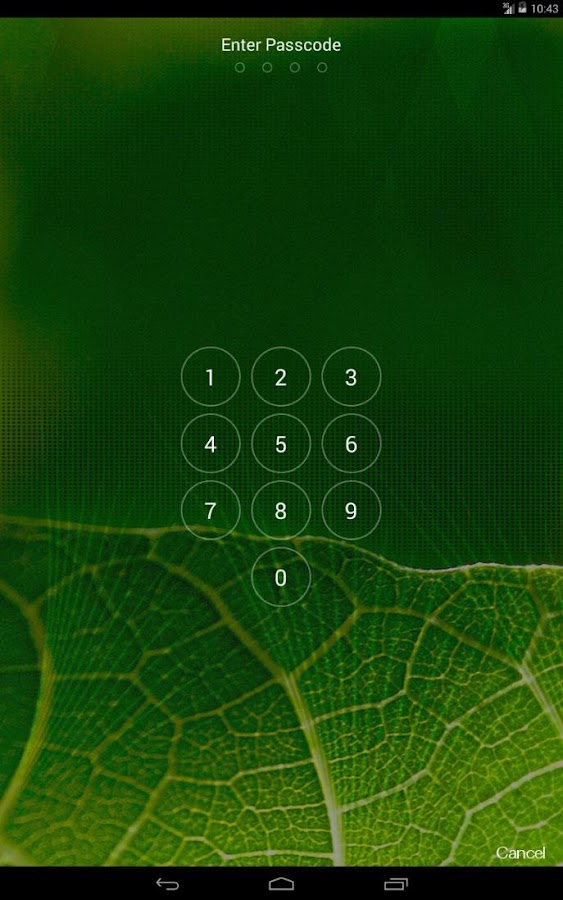
iOS 7 Lockscreen Parallax HD - screenshot


iOS7 is a new, completely redesigned system developed for Apple devices but now it is kinda routine to make a port for every new thing that comes. This time it's the lockscreen brought and ported from iOS7. It looks pretty nice, very simillar to original one and brings the new 3D wallpaper effect. Even if you hate iOS so much you should check this out!

As always, there are a bunch of iOS-ish replicas but this one, I would say, is pretty nice. It offers original iOS look, pin code security, 3D effect and iOS7 Control center.


The app is completely free . For best effect without any problems be sure to have the old lockscreen disabled. App is supported for HD-phones.

DOWNLOAD HERE

Posted By Unknown22:37

How to speed up Home Button response and make Apps Launch Much Faster?

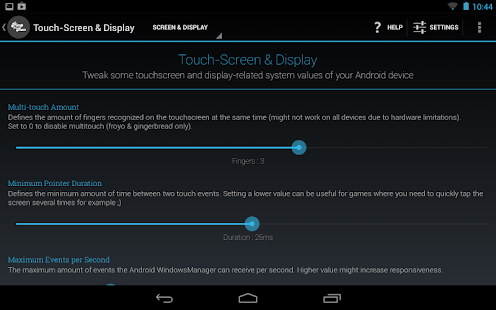
 Pimp My Rom (Beta) - screenshot thumbnail
 Cover art


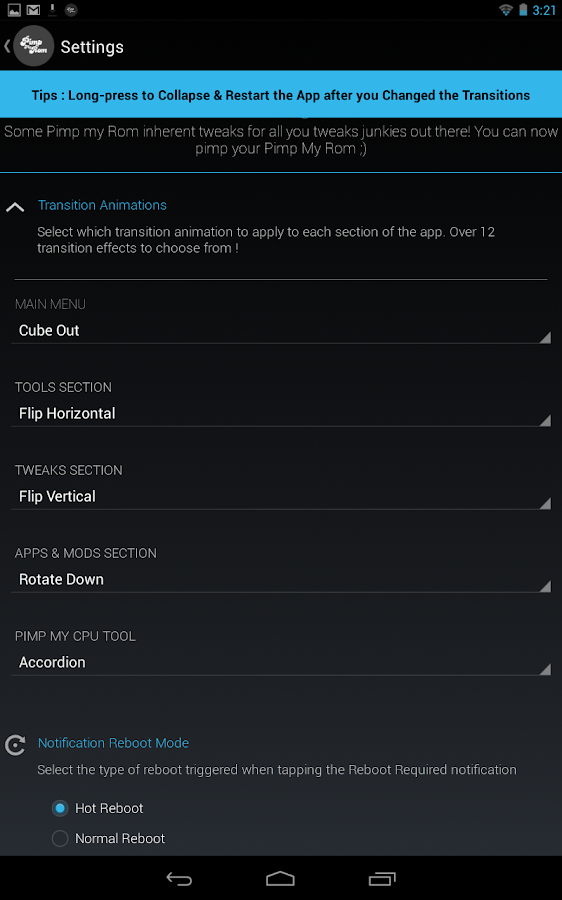
Pimp My Rom (Beta) - screenshot


I've heard a bunch of complaints of slow launcher redrawing, lazy home button response and poor speed overall at launching apps. Well, you might not believe, but it's relatively easy to fix this problem and make launcher and apps launching way faster!

This slow re-launching of all apps is caused by simple "phenomenon" - it's been closed. We all know how fast is it, to open minimalized apps and brag yourself that your phone is the fastest in opening apps, right?
We also know when the RAM is running low, the minimalized apps are getting killed to prevent of reboot caused by low usage. But what if we lock these apps to memory and protect them from getting killed by system? It's possible.

If you read my recent post (not that recent, tho), you know the
Pimp My ROM is an awesome app. It's way more useful than ROM Toolbox! (In my opinion) It offers a bunch of tools, tweaks and features that will make your phone rock.
One of these features is that we're going to use now. Yes, it's a
lock-apps-in-memory feature.


Firstly, download the app
HERE. Grant the superuser rights and make a rescue package - so if something (anything) goes wrong, you can easily revert  your system back. After that, proceed to tools tab and tap on lock apps in memory. Wait till it loads and you're done!

Now, if you swype an application and tap
lock in memory, the app won't be closed and you can enjoy your phone's speed. If you think your home button is taking nap and launcher redraws all the time, lock launcher in memory.

After locking your desired apps,
fully reboot your device to take the effect. Please mind if you lock too much apps in memory, the system might even not boot up and you won't be able do anything due to low RAM memory.

BLOG ADMIN 
SIVA AGGZZ


Posted By Unknown22:34

[NO ROOT] How to change the color of notification LED?

Plenty of devices now have notification LED lights. These lights, as the name says, notify you every time you got a new SMS, mail, or if anything happens. The light may come very handy sometimes but you cannot really distinguish whether you recieved a mail, or if it's a message. You have just to wake your phone up to see what's really happening. Well, not anymore. This handy app lets you to change the color of your LED and even doesn't require root access!

You obviously need a phone that has notification LED with color support to get this thing to work. The app is called Light Flow and it rocks:

This app will allow you to control the notification color for -


* SMS messages,

* MMS messages,
* New Gmail messages
* New e-mails
* Calendar reminders
* Missed calls
* Low battery
* Bluethooth
* Google Talk notifications / Hangouts
* Handcent
* No signal
* SMS Popup
* ChompSMS
* K9 mail
* Silent mode
 .. And many more, such like FB Messenger. It has simple interface, nice & smooth animations and it's really easy to control.


The lite version is available on the Google Play Store
for free but unfortunately, it's just a demo - the free version takes approximately 12 flashes (or 20 seconds) to change its color but the paid one changes its color almost immediatelly. So if you really want to use this app (and don't wanna wait till the LED turns its color), consider buying a paid version.


Posted By Unknown22:31

[APK] Cracked Google Play

Filled under:

An awesome app from ChelpuS brings the Cracked version of Google Play that allows user many features such as license verification in offline mode, disable self update and more.

Major features of the application -


- Can use app protected with Google LVL (License Verification Library) without cracking.

- Verify license in offline mode.
- No need to patch with Lucky patcher any more.
- Can NOT download paid apps for FREE!
- Disable self update.
- Not works with Billing and License Verification to Proxy.
- Icon changed.
- Button 'Refund' reworked! (When you press 'Refund' button, it refunds and does not uninstall the app.)
_________________________________________________________________________________
NO LUCKY PATCHER ANYMORE!

Everything is automatic.
Root is needed.

DOWNLOAD (Current version = 1.0.7)


(Report if not valid or file missing please).

Posted By Unknown22:29

Memory SWAP - Helps To Manage RAM

With The Swapping Of Your SD Card.. Handling Your Android Which has RAM Less Than 1 GB Is Made Easy.

Here's How: 
Before You Start Make Sure Your Device Is Rooted
And Has An EXT4 Partition (Here)

Install Swapper 2 , open and set Root permission, and click in "Ads Off"


Now go to Settings and set "Swap Size" and "Swappiness" (shown in images).


Now go to Advanced Preferences and set this:


Now go to principal screen of Swapper 2 and ON the swap partition.


Finish! Now, you have you SWAP partition working

Posted By Unknown12:52

Xperia Z1 MotionShot ported for all Android devices

Sony Xperia Z1 is one of the best phones nowadays. An awesome camera, display, performance, its thickness... It also brings a lot of cool features such like MotionShot which captures a video of a moving object and creates a beautiful "moving photo" by putting all these captured frames into one frame.

This app has been ported and should work properly on all Android devices running ICS and above.
And how does it work? You just press the recording button, record the moving object (your kid, for instance), wait for the render and you're done with a beautiful piece of photo:


You can set the final resolution of the photo and even frequency and number of the photos. All you need to do is to press the
recording button and don't move with your device while recording. While recorded, the photo will be created automaticlly.

The app does not require root access to work.

Posted By Unknown12:33

XHaloFloatingWindow - An Awesome Halo Popup for your Android device

Have you ever seen popup heads called "halo" originally from Paranoid Android ROM? No? Well, you definitely should, then. It's an awesome tool simplifying your work and multitasking overall by putting a little chat popup heads in the borders of your screen. This feature was available only in case you're running on Paranoid Android but now there's an Xposed Module for this! So what next are you waiting for?

First of all, needless to say this is not the complete halo available in Paranoid. It doesn't offer you that much features but even though you can have the awesome popup window - using the Xposed Framework only! Let's see some pics:


As you can see on the pictures, Halo offers you a movable and resizable windows that can be dragger (moved), resized, or if you want - you can set its transparency. More options will be added in future, obviously.


The entire app needs the Xposed Framework (and therefore root access) so if you don't know what it is (or don't have it yet), check THIS post to get more info and a download link.


I don't have root! :(

Unfortunately, the Halo does not really work without root access. On the bright side, you can get some similar (though very usefull, too!) apps such like Floating Notifications - available for free on Google Play!
 
BLOG ADMIN 
SIVA AGGZZ 

Posted By Unknown12:27

Mobile Odin - Computer no more needed for flashing!

Do you have a Samsung device but no PC so you cannot perform flashing via Odin? Or your Odin doesn't work? Here's a better solution  - Mobile Odin. With Mobile Odin you won't ever need your PC again!

Odin lets you to flash ROMs (or ROM add-ons) to your Samsung device. It's fast and easy to use but you obviously need your PC to perform the flashing (and sometimes it gives you strange errors). As you might expect (and as the name says), Mobile Odin is just like the normal Odin but you don't really need your PC to flash ROMs!


Mobile Odin requires root (obviously) and supports these devices:

- Samsung Galaxy S GT-I9000
- Samsung Galaxy S GT-I9000B
- Samsung Galaxy S GT-I9000M
- Samsung Galaxy S GT-I9003
- Samsung Galaxy S GT-I9003L
- Rogers Captivate SGH-I896
- AT&T Captivate SGH-I897

- Samsung Galaxy S2 GT-I9100
- Samsung Galaxy S2 GT-I9100T
- Samsung Galaxy S2 GT-I9100G
- Samsung Galaxy S2 GT-I9100M
- Samsung Galaxy S2 SHW-M250S
- Samsung Galaxy S2 SHW-M250K
- Samsung Galaxy S2 SC-02C
- AT&T Galaxy S2 SGH-I777
- Sprint/Virgin/Boost Epic 4G Touch SPH-D710/VMUB/BST
- USCC Galaxy S2 SCH-R760

- Samsung Galaxy S3 GT-I9300
- Samsung Galaxy S3 GT-I9300T
- Samsung Galaxy S3 GT-I9308
- AT&T Galaxy S3 SGH-I747
- Canadia Galaxy S3 SGH-I747M
- TMOUS Galaxy S3 SGH-T999
- Sprint Galaxy S3 SPH-L710
- VZW Galaxy S3 SCH-I535 (unlock bootloader !)
- USCC/Cricket/MetroPCS Galaxy S3 SCH-R530/U/M/C

- Samsung Galaxy S3 LTE SHV-E210S
- Samsung Galaxy S3 LTE GT-I9305
- Samsung Galaxy S3 LTE GT-I9305T
- Samsung Galaxy S3 LTE GT-I9305N

- Samsung Galaxy S4 LTE GT-I9505
- Sprint Galaxy S4 SPH-L720
- T-Mobile Galaxy S4 SGH-M919
- US Cellular Galaxy S4 SCH-R970
- Canadia Galaxy S4 SGH-I337M

- Google Galaxy Nexus (GSM) Maguro/Yakju/GT-I9250
- Google Galaxy Nexus (CDMA/LTE) Toro/Mysid/SCH-I515 (no cdma radio flashing)

- Samsung Galaxy Note GT-N7000
- Samsung Galaxy Note GT-I9220
- Samsung Galaxy Note GT-N7000B

- Samsung Galaxy Note 2 GT-N7100
- Samsung Galaxy Note 2 LTE GT-N7105
- AT&T/Canadia Galaxy Note 2 SGH-I317/M
- TMOUS Galaxy Note 2 SGH-T889
- Sprint Galaxy Note 2 SPH-L900
- VZW Galaxy Note 2 SCH-I605 (unlock bootloader !)
- USCC Galaxy Note 2 SCH-R950

- Samsung Galaxy Note 3 SM-N9005

- Samsung Galaxy Note 8.0" GT-N5100 
- Samsung Galaxy Note 8.0" Wi-Fi GT-N5110/N5113 
- Samsung Galaxy Note 8.0" LTE GT-N5120

- Samsung Galaxy Note 10.1" GT-N8000 
- Samsung Galaxy Note 10.1" Wi-Fi GT-N8010/N8013 
- Samsung Galaxy Note 10.1" LTE GT-N8020

- Samsung Galaxy Tab 7" GT-P1000
- Samsung Galaxy Tab 7.0 Plus GT-P6200
- Samsung Galaxy Tab 7.0 Plus Wi-Fi GT-P6210
- Samsung Galaxy Tab 7.0 Plus GT-P6200L
- Samsung Galaxy Tab 7.7" GT-P6800
- Samsung Galaxy Tab 7.7" Wi-Fi GT-P6810
- Samsung Galaxy Tab 10.1" GT-P7500
- Samsung Galaxy Tab 10.1" Wi-Fi GT-P7510
- Samsung Galaxy Tab 2 7" GT-P3100
- Samsung Galaxy Tab 2 7" Wi-Fi GT-P3110/P3113
- Samsung Galaxy Tab 2 10" GT-P5100
- Samsung Galaxy Tab 2 10" Wi-Fi GT-P5110/P5113

- Samsung Galaxy 5 GT-I5500
- Samsung Galaxy 5 GT-I5500B
- Samsung Galaxy 5 GT-I5500L
- Samsung Galaxy 5 GT-I5500T
- Samsung Galaxy 5 GT-I5500M
- Samsung Galaxy 5 GT-I5503
- Samsung Galaxy 5 GT-I5503T
- Samsung Galaxy 5 GT-I5508

More devices will come soon. Expect flashing, Mobile Odin offers a cool feature named EverRoot, which will root your firmware that you just flashed. Mobile Odin doesn't also increase the flash counter so it won't make any yellow triangle if you flash anything.


Posted By Unknown12:23

Smart Google Dialer from Nexus 5 ported for all Android devices

gd_2 Google Nexus 5 (And Android KitKat, generally) has revealed a bunch of new apps and features. Some of them, like the Google Experience Launcher has been ported, some of them haven't. Now, we can finally try out the smart Google Dialer app ported directly from the Nexus 5!

Obviously, this app is made for dialing (here comes the name dialer) but also offers you a cool, handy feature: automatic phone number searching of corporations and more.

gd_1


The bad thing is, you gotta need Android KitKat in case you want to install this app.

There are, as usually,  two ways to install this app:  you can simply install the APK file or if you're rooted, just flash the ZIP file. Google Dialer does not replace your current dialer but be careful, problems may appear.

Posted By Unknown12:20

Wednesday, 25 December 2013

Subway Surfers Halloween v1.15 - New Orleans full unlimited mod

Filled under:

Subway Surfers Halloween v1.15 - New Orleans


Subway Surfers Halloween v1.15 - New Orleans


Google Play Link: subway surfers

 Subway Surfers Halloween v1.15 New Orleans is New update of subway surfers. keep surfing they way with new and latest update, take you guy to so far make high socre and post them into internet worldwide and get rank.

What's new in 1.15 update
  • Pass Trains with your Cool Character.
  • beautiful and charming HQ Graphics.
  • Hover board Surfing's.
  • Painted power jet packs.
  • Lightning with fast wipe.
  • Challenge for help you friend to complete mission.

How To Install Subway Surfers New Orleans

Download subway surfers apk
install apk and play game

Requirements

Armv7
Hvga, qvga, wvga tabs
Android os: 2.3 and up
Ram: 512mb

Subway Surfers Halloween v1.15 Screenshots

Subway Surfers Halloween v1.15 - New Orleans

Subway Surfers v1.15 Downloads

DOWNLOAD HERE

Posted By Unknown13:08

Samsung Smartphone GamePad officially announced, coming to India in January 2014 for Rs. 4,999

Filled under:


Samsung has officially announced a new accessory for the ever growing market of handheld gaming. Dubbed as Smartphone GamePad, the device enhances the gaming experience on Android devices. Smartphone GamePad provides consumers with a fun, convenient, and advanced gaming experience anytime, anywhere. The GamePad is now available in select European markets, and will be launched in other regions in the coming weeks.

Smartphone GamePad


According to Samsung, the Smartphone GamePad will go on sale in India sometime in the end of January 2014. Samsung has priced the Smartphone GamePad in India at Rs. 4,999. 

Smartphone GamePadThe Smartphone GamePad can be attached to any Android devices ranging from 4-inches to 6.3-inches and can be connected through Bluetooth pairing. The GamePad instantly transforms the smartphone or tablet into a portable gaming console.

The device is made up of a metal frame, giving a premium look. Samsung has also optimized the GamePad especially for its Galaxy devices, like easy connectivity via NFC tags, and quicker access to the games via the "Play" button. 

The Smartphone GamePad is compatible with any Android device running Android 4.1 JB or more (4.3+ for Samsung devices) and comes with Bluetooth v3.0, 3.0 class 2, HID and 160 mAh rechargeable battery.

Smartphone GamePad

Posted By Unknown12:58

Monday, 23 December 2013

Popup Notifier v7.3 APK Download

Filled under:


Pop up notifier app will give you pop up notification from apps for example if you got a new message then it will show you message in popup window. It’s a cool app to got direct notification from apps. It supports all apps so you can set it for any of your favorite app for example facebook, messenger, whatsapp, BBM, hangout etc. all apps which give notification are supported by this app, its faster way to direct get notification and reply to that notification without opening that app. Because by this app we don’t need to open that app so it consume less ram because that app is not opened its just notifier app and this app consume less RAM and small in size.


Customize popup windows with your own style. There are many popup window skins which will be used with this app for example there are iPhone skin, xperia skin, Samsung skin. Use iPhone skin to look your mobile as iPhone. Add your custom buttons like view message, cancel, reply, etc. everything is customized in this app. Customize your mobile to look great and amazing.
There are iPhone skins and launchers are available in playstore to make your mobile iPhone and use iPhone skin in popup windows which will make your mobile same looks like as iPhone and you can also use ios7 icons to looks your mobile more beautiful and feel like an iPhone. Everything is easy and customized in android, because its full customized plateform where you can modify everything according to your need, without have knowledge about android. Just using some apps and apply changes.


Features:

  • Popup notification for all your apps all apps are supported with this app.
  • Change skin of popup window like iPhone skin, xperia and other skins from list.
  • Consume less RAM and less in size which occupy less size in internal space.
  •  Facebook, messenger, whatsapp, hangout, wechat these all are supported and used as direct notification.

Posted By Unknown10:54

Sunday, 22 December 2013

GTA San Andreas v1.03 Apk + Data full money Mod Download


GTA San andreas game for android mobiles with full money mod. means unlimited money. there are two versions for download full money mod and simple game. download any of this. We all love this game in our pc. This requires high graphics to run smoothly on pc. But this run without any lag in amdroid mobiles in all versions of aandroid. 
In money mod version there is unlimited money to purchase any weapon,power, or health. You dont need to enter any cheat because this is full money mod so you can purchase everything which required cheat. You can download combined file with. Apk app and obb data. So total size of this game is 2.3gb,  so this is big in size means it have high graphics and interesting. But before you download in your mobile goto playstore and check that will it work on your device or not.if its compatible with your mobile then come back here and download this game and enjoy.in your mobile. But some mobiles are not compatible with this game on playstore but works fine downloaded from here.
So its not sure if playstore shows your mobile is not Compatible With this game then it will not work, maybe version on pplaystore not working in your mobike but this version works fine in your mobile.
So lets try this game.


Apk v1.03 Normal Zippyshare | Mega

Apk v1.02 NormalZippyshare | Mega

Apk v1.02 UnlimitedZippyshare | Google Drive

Dados Torrent  


Instructions :-


  1. install .apk game.
  2. copY com.rockstargames.gtasa folder from downloaded file and paste into your mobile at "android/obb"
  3. ENJOY :D

Posted By Unknown10:53
Powered by KikBooks Widget