Wednesday, 22 January 2014

FREE MART FOR ANDROIDERSS

Filled under:


http://upload.wikimedia.org/wikipedia/en/4/44/Aptoide_screenshot_version2_7_1.png


Application that provides access to news and installation of Aptoide.
Aptoide client is an open source Android application alternative to Google Market that allows one to install software. The installed software comes from multiple sources called “repositories”.
Aptoide is compliant with Apktor, Blapk Market and other Aptoide-derivatives. Unlike Applanet and aFreeware, the Aptoide repositories has almost no downtime and it can be browsed offline.
If you want to setup your own repository, visit:
http://bazaar.bazaarandroid.com
Recent changes:
- Icon fetching process options(bandwidth saving):
+ Always fetch icons (3G and WiFi)
+ Fetch only if connected by wireless
+ Never fetch icons
- Screenshots shown when available
- Extra application information (extras.xml) fetched and parsed in background
- Minor bug fixes for improved stability
- Special HTML characters bug fixed
- Applications list ordering bug fixed

Download here

Posted By Unknown22:17

Monday, 20 January 2014

Why you shouldn't charge your phone overnight?

Filled under:

The vast majority of people do that. Charging overnight. Unfortunately, most of the people also think it's completely harmless to your device and there's nothing bad about keeping your phone charge when it's already charged at 100%. But yes, it damages your phone. Continue reading for full explanation -

So, what's bad about that?
Here's the explanation:


If you charge your phone overnight, the battery is capable of fully charge within a few
hours. It wouln't be any bad, if you unplug your cable and stop charging. The thing is, your phone continues charging. But not as you might think: firstly, the battery drains to about 95%, and then again, is charged back to 100%. This process repeats every time of every night. Well, still not much bad about that, do you think?

The real thing is,
every battery has its charge limit.  What does that mean?

Lets say you battery has limit of 10,000 charges. After exhaustion of this limit, the battery stamina will be
much more weaker and moreover, your phone may stop charging before 100%  (mostly stops at 94%).

Basically, every charge overnight damages the battery and shorts the stamina. Eventually, your battery will be that damaged that it won't hold any more energy to power your phone with.


Still going to charge your phone overnight? Consider the way

Posted By Unknown14:40

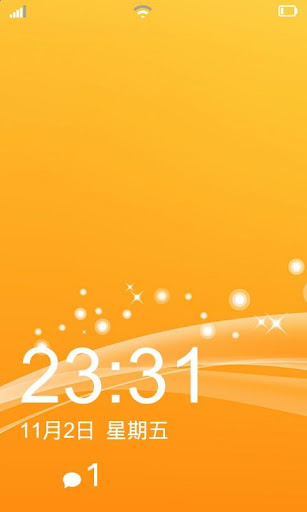
Make Your Android Looks Like Windows Phone 8

DO U LIKE WINDOWS 8 PHONES?BUT OWN A ANDROID PHONE....NOT A BIG PROBLEM ANYMORE...TRANSFORM YOUR ANDROID PHONE INTO WINDOWS LOOKS IN VERY EASY STEPS AND ENJOY THE CUTENESS OF WINDOWS LOOKS :)


Bootanimation


 bootanimation.zip to /system/media with permission level rw-r-r.

SystemUI


Download
WP SystemUI.zip from the attachment below and flash through CWM.

Launcher


  Dropbox Link


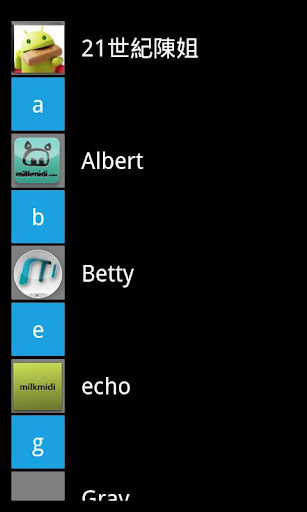
Contacts


  Dropbox Link

Quote:
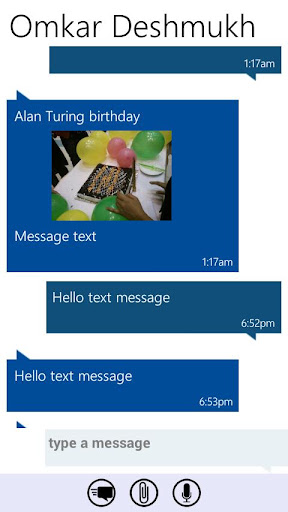
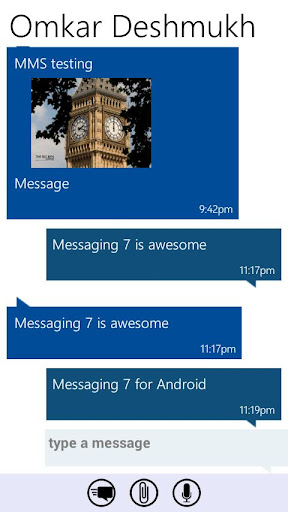
Messaging


  Dropbox Link


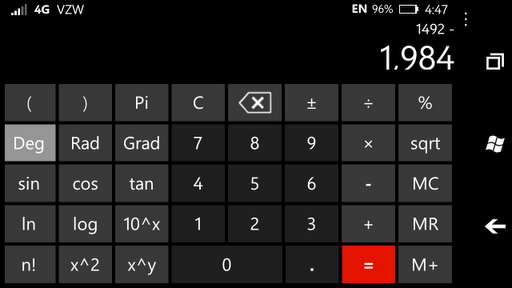
Calculator


  Dropbox Link

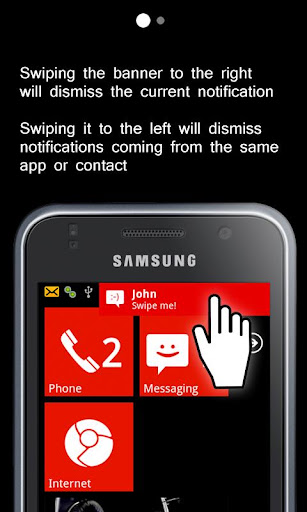
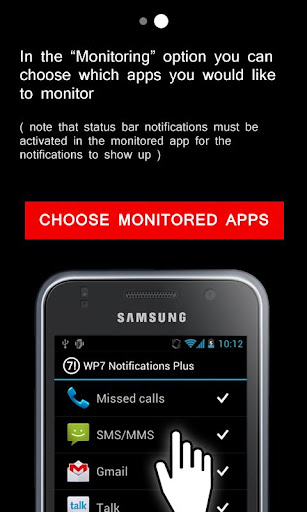
Notification


  Dropbox Link
PS: install as a normal app and share your windows phone screenshot

Posted By Unknown13:33

Monday, 13 January 2014

Amazing Battery Saver - Disable Mobile Cores To Save Your Battery

Everybody knows these "powerful" battery savers that are capable to save up to 20% of your battery life by just adjusting your screen brighteness and shutting off your WiFi and other services. These apps doesn't even require root access to work, but as the description always says, our app is revolutionary. Let's wave them goodbye and let's meet some real battery savers that can really save your battery. Meet real mobile-core manager.

Powerful, high-end devices all face one big problem - high battery drain. This, among other things, is also caused by their high performance, by the cores. The more cores you basically have on your device, the more will be the battery drain.

But what if we can
stop the cores to save more battery? Well, It is possible.


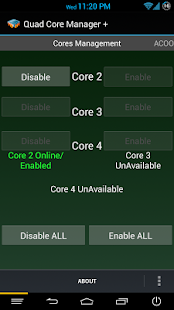
QCM+ :Ultimate Battery Saver ★ - screenshot thumbnailCover art

 Meet QCM+, the real mobile-core manager. This is a real battery saver. As you might expect, this app lets you to copmletely disable mobile cores separately and save an incredible amount of your battery life.
Obviously, you won't be able to use this application if your device hasn't got two or more cores.
And obviously, the app requires root.

If you don't want to turn your cores ON and OFF again and again to both save battery and make your phone "
usable", you can enable the awesome feature called ACOO (Automated CPU ON/OFF) which will automaticlly manage the mobile cores and turn off all the cores but one when your screen is OFF.

After the screen is turned on, the ACOO mode will turn the cores back ON to retrieve the performance.

Moreover, the app is available for free on Google Play:

Posted By Unknown10:38

Saturday, 11 January 2014

Download Latest GApps or Google Apps

Download Latest GApps or Google Apps

The Google Apps aka GApps is application package known as proprietary applications by Google. This application package comes with most manufacturer’s Android devices those who sign licensing deal with Google. This application package can also be downloaded from Google Play Store separately.
Google Apps aka GApps include apps like Google Play Store, GMail, Gtalk, Google Map, Google Calendar, Google Search, Google Voice, YouTube, Google Sync, Google Backup Transport, Car Home, Google Music, and Google Docs.
As custom ROMs are based on AOSP releases, it’s often don’t comes with GApps. You have to flash it separately. To save your time, we listed out GApps download link as per Android Version. Though the download link divided as per CyanogenMod ROM version but the GApps work with most other ROMs. That’s why you should see the Android version instead of ROM name. 

 google_apps

CyanogenMod 11

Android 4.4 – 4.4.1 – 4.4.2 – KitKat
HDPI / MDPI / TINY / TEGRA: gapps-kk-20131119.zip

CyanogenMod 10.2.x

Android 4.3 – Jelly Bean
HDPI / MDPI / TINY / TEGRA: gapps-jb-20130813-signed.zip

CyanogenMod 10.1.x

Android 4.2 – 4.2.1 4.2.2 – Jelly Bean
HDPI / MDPI / TINY / TEGRA: gapps-jb-20130301-signed.zip

CyanogenMod 10.0.x

Android 4.1.1 – 4.1.2 – Jelly Bean
HDPI / MDPI / TINY / TEGRA: gapps-jb-20121011-signed.zip

CyanogenMod 9.0.x

Android 4.0.3 – 4.0.4 – Ice Cream Sandwich
HDPI / MDPI / TINY / TEGRA: gapps-ics-20120429-signed.zip

CyanogenMod 7.1-2.x

Android 2.3.5 – 2.3.7 – Gingerbread
HDPI / MDPI / TINY / TEGRA: gapps-gb-20110828-signed.zip
Android 2.3.4 – Gingerbread
HDPI / MDPI / TINY / TEGRA: gapps-gb-20110613-signed.zip

CyanogenMod 7.0.x

Android 2.3.3 – Gingerbread
HDPI / MDPI / TINY / TEGRA: gapps-gb-20110307-signed.zip
Android 2.3.2 – Gingerbread
HDPI / MDPI / TINY / TEGRA: gapps-gb-20110120-signed.zip

Posted By Unknown17:10

Monday, 6 January 2014

Control all the system sounds with Ultimate Sound Control

There are plenty of Android system sounds - unlock sound, camera shutter sound, calling sounds..but none of them can be changed. There comes the Ultimate Sound Control app! This app, except replacing any system sound lets you to adjust any volume of any sound or even completely disable the sounds.

Ultimate Sound Control is literally ultimate. If you don't like the unlock sound, you can replace it with any sound or better, if you want - you can disable it. Is your camera shutter sound too loud? Lower the volume with Ultimate Sound Control! Of course, you can do it manually by replacing the system files but that's way more dangerous and requires much more time. This app does it all without any problems!

In case you don't wanna lose your system sounds you can backup them - and restore if you don't like the custom one. This app requires root access to work.


As always, the app comes in two versions - free and paid version. Unfortunately, not all the features are provided in free version so if you want to
replace system sounds with your custom sound, you have to buy the paid one.

Posted By Unknown14:26

Friday, 3 January 2014

OUR OFFICIAL ANDROID APP

I M HAPPY TO BRING OUT MY OFFICIAL ANDROID APP FOR THIS BLOG....YOU WILL BE CONNECTED TO US AND GET LATEST UPDATES,LATEST APPS NOTIFICATIONS,LATEST TIPS AND TRICKS N MUCH MORE BY JUST DOWNLOADING OUR APP....I HOPE ALL OF MY VIEWERS WILL LIKE THE APP AND SUPPORT MEH....THANK YOU EVERYONE :)

DOWNLOAD HERE

REGARDS
ADMIN
SIVA AGGZZ

Posted By Unknown15:43

Thursday, 2 January 2014

The Fastest Keyboard Ever


 Keymonk Keyboard Free - screenshot thumbnail


Keymonk Keyboard Free - screenshot

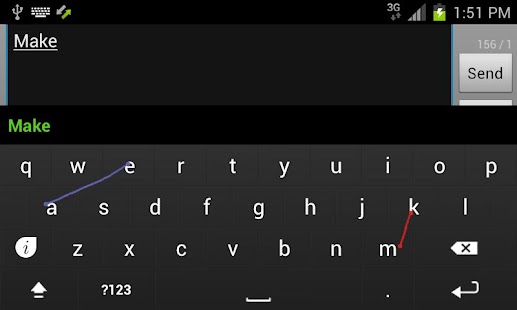
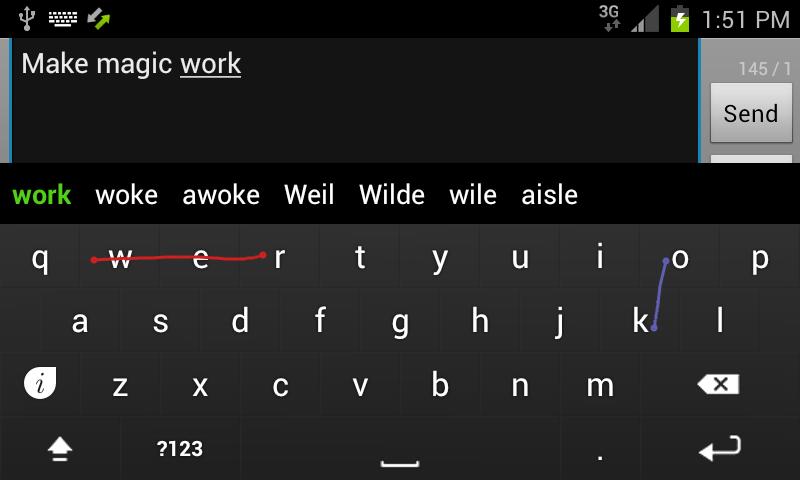
Everybody knows a feature called Swype. It's a nice tool letting you to type faster than ever before - by swyping your finger above letters to create a word. It's a nice, fast and relatively accurate thing. But what if we, instead of one finger, used two fingers (therefore two swypes) to write even faster? Meet Keymonk - The world's fastest keyboard.

So, how this all works? Check out the video:

Looks complicated? Don't worry. You'll get used to it. Simply put, it's just like the others swypes but this time, you use two swypes instead of one. These screenshots might help you to find out how excatly are the words put:


It may look complicated but it's really not that bad. You should definitely give it a shot. You will be surprised. Bad thing is, the amount of supported languages is currently low but as the author says, there will be more languages very soon.

download from here

Posted By siva agarwal23:11

Create a flashable ZIP of everything!

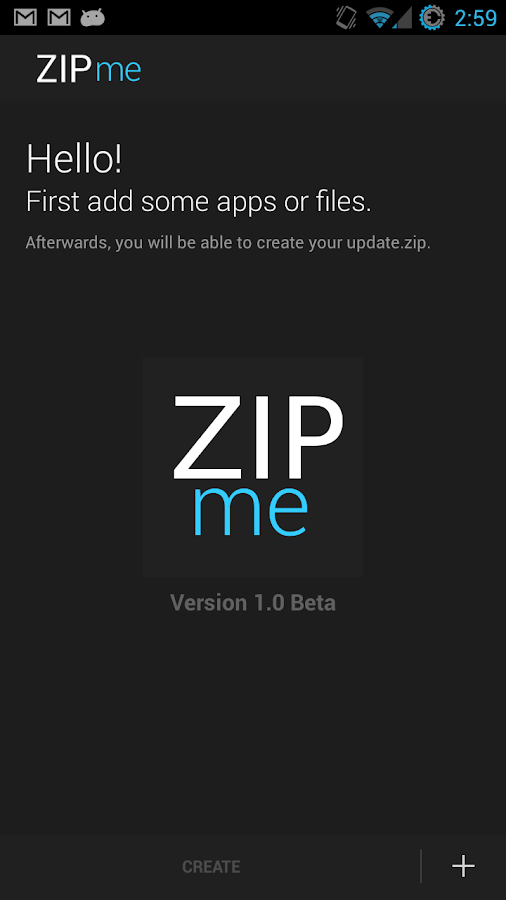
ZIPme - screenshotIt's terrible to restore and lose all of your apps after a full wipe in case you want ot install a new ROM..
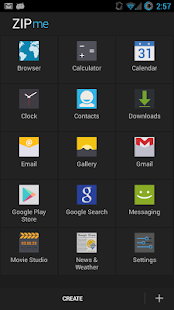
ZIPme is a powerful and really amazing tool that lets you to create a flashable ZIP easily within few minutes! You just choose the compoments that has to be included in the ZIP (Apps, build.prop file, boot animation, hosts or system fonts) and after a full wipe, just flash the ZIP to get all of your data back! Isn't that amazing?


ZIPme - screenshot thumbnail 
Jared Rummler, better known for his company JRummy Apps, is a creator of some splendid apps such as root browser, ROM Toolbox, Font Installer and more. Now, he has made a really useful and amazing tool called ZIPme, that creates a flashable ZIP of everything you want.


ZIPme can create a ZIP literally of everything:
Apps (including data), build.prop settings, bootanimation, system fonts, accounts, system settings, messages, wallpapers, hosts and much more.

ZIPme, as the author says, simplifies your life. And I can confirm that. ZIPme requires root to work (obviously) and should work on all ICS/JB based ROMs. However, the app is currently in "beta" stage and may contain some hiccups. Be careful, than and backup some apps once again in case this app fails :-).


You can download the app
for free from here

Posted By siva agarwal23:07
Powered by KikBooks Widget