How to customize your phone like a Windows phone
Starting up.. lets see the best app out of hundreds of apps for the launchers.
1. Launcher 8 -
 Features:
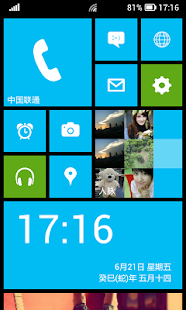
 - You can add different size tiles;
- You can add a variety of color tile;
- You can save and restore the theme;
- You can edit the start screen layout;
- You can set the current background style;
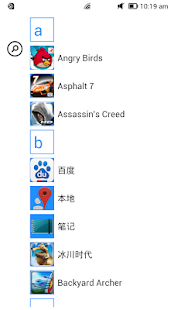
- You can switch the application list style
- You can add Android widgets in the tiles;
- You can set the wp8 style lock screen and status bar;
- You can select more than one hundred kinds of theme colors;
- You can add special features tiles,like time,flashlight,pictures and contact photo.
Reminder:
- Shows the live contact needs to read the contact data access permission;
- Add a shortcut when direct dial call authority need the android.permission.CALL_PHONE ;
- Add send SMS shortcut operation message need permission.
This app will give you not only the launcher.. but the locker and the status bar as well.

Download here
Secondly..
2. Messaging 7
 Features-
1. WP7 like messaging popups.(Unobtrusive Popups)
2. Basic Features like send/reply/delete/copy message.
3. Customize Bubble color with a color Picker.
4. Choose dark/light theme.
5. Offline Message sending, When no network coverage message will be queued and sent when coverage is available.
6. MMS support Only Picture messaging is support for now.
7. Option to disable other messaging app notifications.
8. Support for Diacritic letter.
9. Delivery Notification.
Added Emoticons support.
Changed caching technique so now it is little more smooth. It takes a little longer to display contact names for first time.
Notifications bug fixed.
Options menu black background bug fixed.
Removed Internet permission, so NO ADS...
New M7 Icon.


0 comments:
Post a Comment